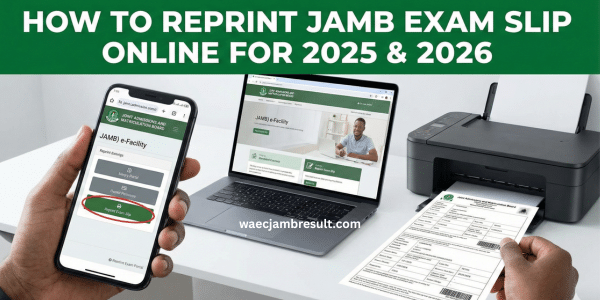
Sitting for the Joint Admissions and Matriculation Board (JAMB) UTME means you must have a valid exam slip. The slip shows your exam date, time, venue, centre information, it is mandatory for entry into the exam hall. Reprinting (or printing) the slip online is a simple process if done correctly. This guide explains how to reprint JAMB exam slip online for 2025 and 2026, step by step, highlighting everything you need to know.
If you are printing for the first time or reprinting because you lost the original, this guide covers the official portal, what details you’ll need, printing tips, and what to do if you cannot access the portal.
Why Reprint Your JAMB Exam Slip (2025/2026) — And When
Before diving into the how-to, it helps to know why printing or reprinting your JAMB slip matters, and when you should do it.
Importance of the Slip
- The JAMB exam slip includes critical details, your full name, registration number, photograph, exam date/time, venue/CBT centre, and any instructions for the exam day. Without a valid slip, many venues will deny you entry.
- It also serves as official documentation to show you are scheduled for the exam. For safety and convenience, you should print multiple copies, keep one for yourself and another to submit at the exam hall.
When to Reprint
- For the 2025/2026 UTME, the official reprint portal was opened before the exam. Candidates were told to reprint from around April 19, 2025 onward.
- Reprinting early helps avoid rush, server overload, or delays. It also ensures you have the slip ahead of time, giving room to print extra copies in case of issues.
- If you lose your slip or need additional copies, you can reprint, there is usually no limit to how many times you print, as long as the portal is active.
Because of these reasons, reprinting your JAMB slip early and securely is a critical step in your UTME preparation.
What You Need Before Reprinting
To reprint your JAMB exam slip successfully, make sure you have the following ready before visiting the portal:
- Your JAMB registration number — this is required to fetch your slip.
- Email address or phone number used during registration (if applicable) — some portal versions allow login using either the registration number, email, or phone number.
- A device with Internet access — you can use a smartphone, tablet or computer. Many candidates use their phones; turn on pop-ups in your browser for smooth printing.
- Access to a printer, OR access to a printing/cyber café — if you don’t own a printer you can reprint at any business centre or accredited CBT centre.
- A clean browser session & pop-up enabled — some portals require pop-ups to display the slip PDF. Using a laptop or desktop gives better printing quality, though mobile works too.
Having these ready before you start will save you time and reduce chances of error.
How to Reprint JAMB Exam Slip Online
Below is the official, up-to-date method to reprint your JAMB slip for 2025/2026 — using the online portal.
1. Visit the Official Portal
Open your browser and go to the official JAMB slip printing portal:
https://slipsprinting.jamb.gov.ng/PrintExaminationSlip
You may also access it via the main JAMB site, but using this direct URL is the fastest.
2. Enter Required Details
On the slip printing page, you will see an input field. Provide either:
- Your JAMB registration number, OR
- Your email address or phone number used during registration.
Double-check for typos — a wrong registration number or email will prevent you from retrieving your slip.
3. Click “Print Examination Slip” / Submit
After entering your information, click the button labeled “Print Examination Slip” (or similar).
The system will fetch your exam slip details. Ensure you allow pop-ups in your browser — the slip often appears in a new window or tab. Also Read: Has JAMB Started Giving Admission in 2026? — Latest News & Admission Timeline
4. Review Slip Details
Once your slip loads, verify all important details:
- Your full name
- Registration number
- Exam date and time
- Assigned CBT centre / venue
- Photo (if provided)
- Any special instructions (if included)
Make sure everything matches what you expect — errors at this stage can cause issues on exam day.
5. Download or Print Immediately
You have two main options:
- Print directly using a connected printer.
- Save as PDF (download) and print later — useful if you’re printing at a cyber café or from another device.
It is wise to print two or more copies — keep one for yourself, and have at least one spare copy for exam submission.
That is all. Once printed, your JAMB exam slip is ready for exam day.
What to Do If the Portal Is Busy or You Can’t Print
Because many candidates try to reprint around the same time, the portal may get slow or crash. Here’s what you can do:
Try Again Later
Peak times (especially near exam date) can lead to server overload. If the portal doesn’t load, wait a few hours — early morning or late at night tends to be less busy.
Use a Cyber Café or CBT Centre
If your home printer is not working or you don’t have one, visit any JAMB-accredited CBT centre or business/cyber café. They often offer reprint services at low cost.
Clear Browser Cache or Switch Browser
Sometimes, issues come from browser cache or old browser versions. Clearing cache or using a modern browser (Chrome, Firefox) can help.
Check Alternative Portal via eFacility
Some candidates report that you can also reprint from your profile on the main portal (if logged in). If the direct slip-printing site fails, you may log in via your account and use the “Print Slip/Examination Slip” option.
Contact JAMB Support if Slip Has Errors
If after reprinting your slip shows incorrect information (wrong centre, date, or missing photo), contact JAMB support or visit a JAMB office to correct errors.
What’s On Your JAMB Slip — And Why It Matters
When you successfully reprint your JAMB exam slip, it contains:
- Candidate’s full name and photo (if applicable)
- JAMB registration number
- Exam date and time (this is especially important for staggered UTME scheduling)
- Exam venue / CBT centre address — this tells you exactly where you must appear on exam day
- Any instructions or examination guidelines you must follow on exam day
Because invigilators usually check slip and ID before allowing entry, having your slip printed, clear, and in good condition is as important as your preparation for the exam.
Tips to Avoid Common Problems & Mistakes
Based on feedback from many candidates and official guidelines, here are best practices to avoid issues:
- Don’t wait till last minute — reprint as soon as portal opens to avoid heavy traffic or portal crashes.
- Use a stable, strong internet connection — weak networks often lead to incomplete loads or failed PDF downloads.
- Enable pop-ups in your browser — the slip often opens in a new window/tab.
- Check all details on slip carefully — ensure name, date, centre are correct. If there is an error, contact JAMB immediately (or reprint when corrections are updated).
- Print multiple copies — at least two. One to carry to the exam hall, another as backup in case one gets lost or damaged.
- Use a proper printer (preferably colour, A4) — some centres may reject blurry or black-and-white photos/slips.
- Use a trusted printing location — if printing outside, prefer a recognized business centre or accredited CBT centre to avoid fake alterations or fraudulent slips.
- Save a soft copy (PDF) — in case you need to reprint later without repeating the registration process.
Frequently Asked Questions (FAQ)
Q: When did JAMB slip reprinting for 2025 start?
A: According to official timelines, slip reprinting portal for 2025 candidates opened around April 19, 2025.
Q: Can I reprint with just my registration number, or do I need email and password?
A: Yes — for slip reprinting you often only need your registration number, or in some cases, email address/phone number. No password is required on the slip-printing portal.
Q: What if the portal is not working or says “service unavailable”?
A: Wait and try again later (off-peak hours). Alternatively you can go to a JAMB-accredited CBT centre or cyber café to print.
Q: Can I reprint multiple times?
A: Yes. The slip printing process has no strict limit on number of prints, as long as the portal is open — so you can print again if you lose your copy.
Q: Do I need to pay to reprint my slip if I print at home?
A: No — printing at home is free. If you use a cyber-café or printing service, you may pay a small fee for printing paper/ink (not more than typical local charges).
Conclusion & What You Should Do Next
Reprinting your JAMB exam slip online for 2025 or 2026 is straightforward — as long as you use the official portal, enter correct information, and print early.
Treat the slip as essential: it is your official entry pass for the exam, showing where, when, and how you will take your UTME. Missing or invalid slip could prevent you from writing the exam.
So don’t procrastinate: once reprinting opens, visit the slip-printing portal, enter your details, print multiple clean copies, and keep them safe. Plan ahead (transport, time, printing) so you avoid last-minute rush.
If you follow the steps in this guide, you will avoid common mistakes, portal issues, and exam-day stress. Good luck with your 2025/2026 JAMB UTME!