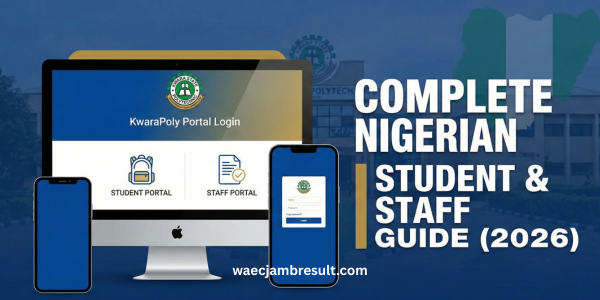
What is the KwaraPoly Portal?
Accessing academic and administrative information online has become important for students and staff in Nigerian tertiary institutions. The Kwara State Polytechnic (often called “KwaraPoly”) portal is the official digital platform where users can log in to manage key academic activities. With the KwaraPoly portal login, users can check results, pay fees, register courses, and complete other essential tasks from anywhere with an internet connection.
The purpose of this guide is to provide clear, accurate, and up-to-date information on how the portal login works, how to solve common issues, and how to get the most out of your KwaraPoly portal access.
Understanding the KwaraPoly Portal
What the Portal Is
The Kwara State Polytechnic portal is the institution’s online gateway for students, applicants, and staff. It centralizes academic and administrative services, allowing users to access essential information without visiting administrative offices. Common functions include:
- Academic result checking
- Course registration and course prints
- Acceptance and school fees payments
- Admission list checking
- Downloading and printing documents like admission letters
This platform is important for both new and returning students as well as for staff who monitor and administrate academic records.
Why the KwaraPoly Portal Login Matters
Logging into the portal is not just a routine task. It’s essential because:
- It gives you secure access to your academic profile.
- You can make official payments, such as school fees and acceptance fees, that are recognized by the institution.
- You can check your admission status, results, and course schedules.
- Waiting too long to log in and complete tasks like registration may affect your academic calendar and standing.
Step-by-Step Guide to KwaraPoly Portal Login
1. Visit the Official Login Page
To begin the login process for students or staff, visit the official KwaraPoly portal URL:
Student & Staff Portal:
https://portal.kwarastatepolytechnic.edu.ng
Make sure the link starts with https://, which indicates a secure connection.
Enter Your Login Credentials
Once the login page loads:
- Username or Registration Number: This is usually your student ID or the username issued during registration.
- Password: This is either a temporary password provided by the school or your own password if you have changed it.
After entering your credentials, click Login.
Navigate Your Dashboard
Once logged in:
- Access your academic dashboard.
- You may see options such as Results, Fees Payment, Course Registration, Personal Profile, etc.
- Click on the appropriate section to proceed with your task.
How to Reset or Recover Your Password
Forgot your password? That happens often, especially among new students.
Reset Password Steps
- On the login page, find and click Forgot Password?
- Enter your registered email address or username.
- Follow the email instructions sent to you to reset your password.
If the reset link doesn’t arrive, check your spam folder or contact the school’s ICT office for support.
Common Login Issues and Fixes
Problem: Invalid Credentials
This typically means you are entering a wrong username or password. Confirm:
- You’ve typed your student ID exactly.
- The password is correct (watch out for caps lock).
- If necessary, reset your password.
Problem: Portal Not Loading
Sometimes the portal might fail to load due to:
- Network/system maintenance.
- A slow internet connection.
- Browser cache issues.
Fixes:
- Try another browser (Chrome, Firefox).
- Clear your browser cache.
- Try again later.
Tasks You Can Do After Logging In
Once logged in successfully, you can complete the following activities:
1. Check Academic Results
Students can view their examination results, grades, and academic progress directly from the portal.
2. Online Fee Payments
You may be required to pay school fees and acceptance fees online. For example, in recent sessions, acceptance fees have ranged around ₦15,800 to ₦20,800 depending on student status.
3. Course Registration & Printing
Register your courses for the semester and print necessary documents like registration slips.
4. Download Documents
Profiles and downloadable items often include:
- Admission letters
- Payment receipts
- Student ID printouts
- Academic schedules
Tips for a Smooth KwaraPoly Portal Login
- Always use your correct student ID and password.
- If you’re a new student, note your temporary login details from your admission notification.
- Change your temporary password immediately for security.
- Keep your email active and checked often because reset instructions may be sent there.
FAQs
What is the KwaraPoly portal login link?
The official login link is https://portal.kwarastatepolytechnic.edu.ng.
Can I reset my portal password?
Yes. Click Forgot Password? on the login page, enter your email or username, and follow the instructions. (
What if the portal is not working?
Try clearing cache, using a different browser, checking your internet, or trying again later.
Who can access the portal?
Only official students, applicants, and staff with valid credentials can log in.
Conclusion
The KwaraPoly portal login is a crucial entry point for academic and administrative services at Kwara State Polytechnic. With the right credentials and this guide, you should be able to log in, navigate your dashboard, pay fees, check results, reset your password, and solve common login issues with ease.
Keep this page bookmarked as your go-to resource for everything related to the KwaraPoly portal!